The free DEGIRO portfolio tracker that shows your real return
DEGIRO shows you a green number, not your real return. Drop your Account Statement and see your true time-weighted return — currency handled, benchmarked against the market — in seconds. No broker login, nothing uploaded.
No broker login. Read-only export. Your Account Statement is parsed in your browser and never leaves your device — only the ISIN codes are sent to look up tickers.
Your file never leaves your browser — it’s parsed on your device. To match your holdings to tickers, only the ISIN codes are sent to a lookup service. No account, and your statement is never uploaded.
What DEGIRO doesn’t show you
DEGIRO shows your balance and a simple gain versus what you put in. It never shows your time-weighted return, so the timing of your own deposits quietly flatters or punishes the figure. It folds EUR/USD moves into the number instead of separating currency from stock performance. And it blends banked gains with paper ones. StockDashes rebuilds all of it from the one file DEGIRO already gives you.
One file. No broker login.
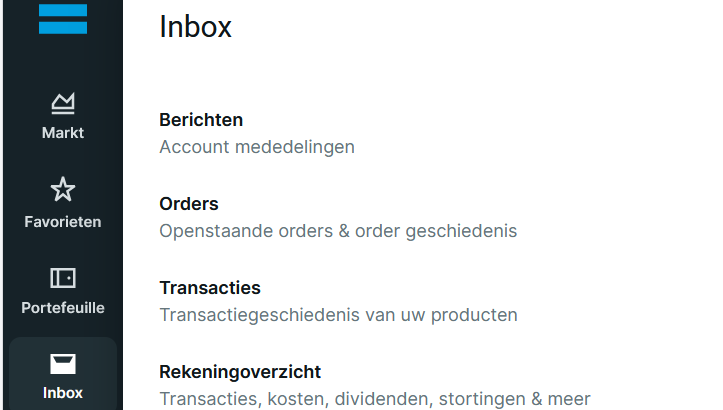
Export from DEGIRO
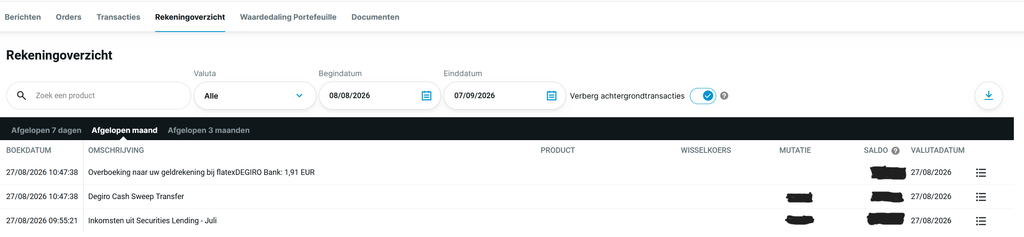
Inbox → Rekeningoverzicht (Account Statement). Set the range to your full history, not just the last year — a partial export makes the return wrong. Export as XLSX or CSV.Using Saxo? The same works with your Saxo account statement.
Drop the file in
We parse it: ISINs resolved, deposits split from trades, historical FX applied, same-day trades ordered.
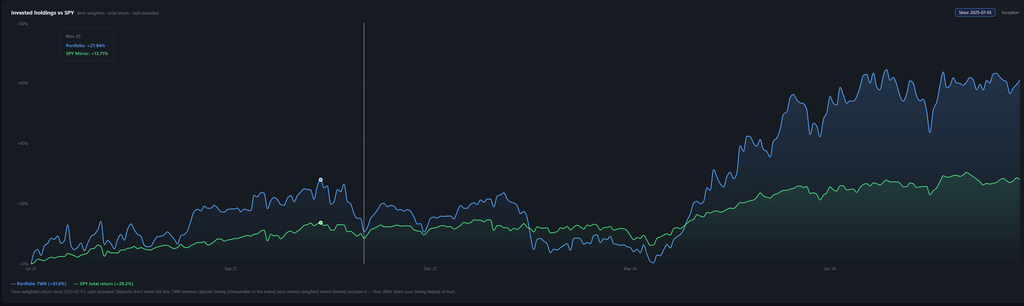
See your real return
Time-weighted return vs benchmark, per-position P&L, and an AI research brief on every holding.
DEGIRO portfolio tracker — FAQ
Does DEGIRO show your real return?
Not fully. DEGIRO shows your current value and a simple gain versus what you deposited, but no time-weighted return, no currency split, no realized-versus-unrealized breakdown and no benchmark. StockDashes computes those from your Account Statement.
Is the DEGIRO portfolio tracker free?
Yes. You can drop your Account Statement and see your real return without an account. Sign up (also free) to save your portfolio and get AI research on every holding.
Which DEGIRO file do I need?
The Account Statement (Rekeningoverzicht), exported over your full history as XLSX or CSV. It already contains your trades, dividends, fees and deposits — it’s the only file you need.
Is my data safe?
Your statement is parsed entirely in your browser and never uploaded. Only the ISIN codes are sent to a lookup service to match your holdings to tickers. There is no broker login and nothing to delete.
What is a time-weighted return?
A return that splits your history at every deposit and withdrawal and links the pieces, so the timing of your own contributions can’t flatter or punish the result. It measures how your decisions performed — the number worth comparing to an index.